Giving the dungeon designer a tool drawer on a phone
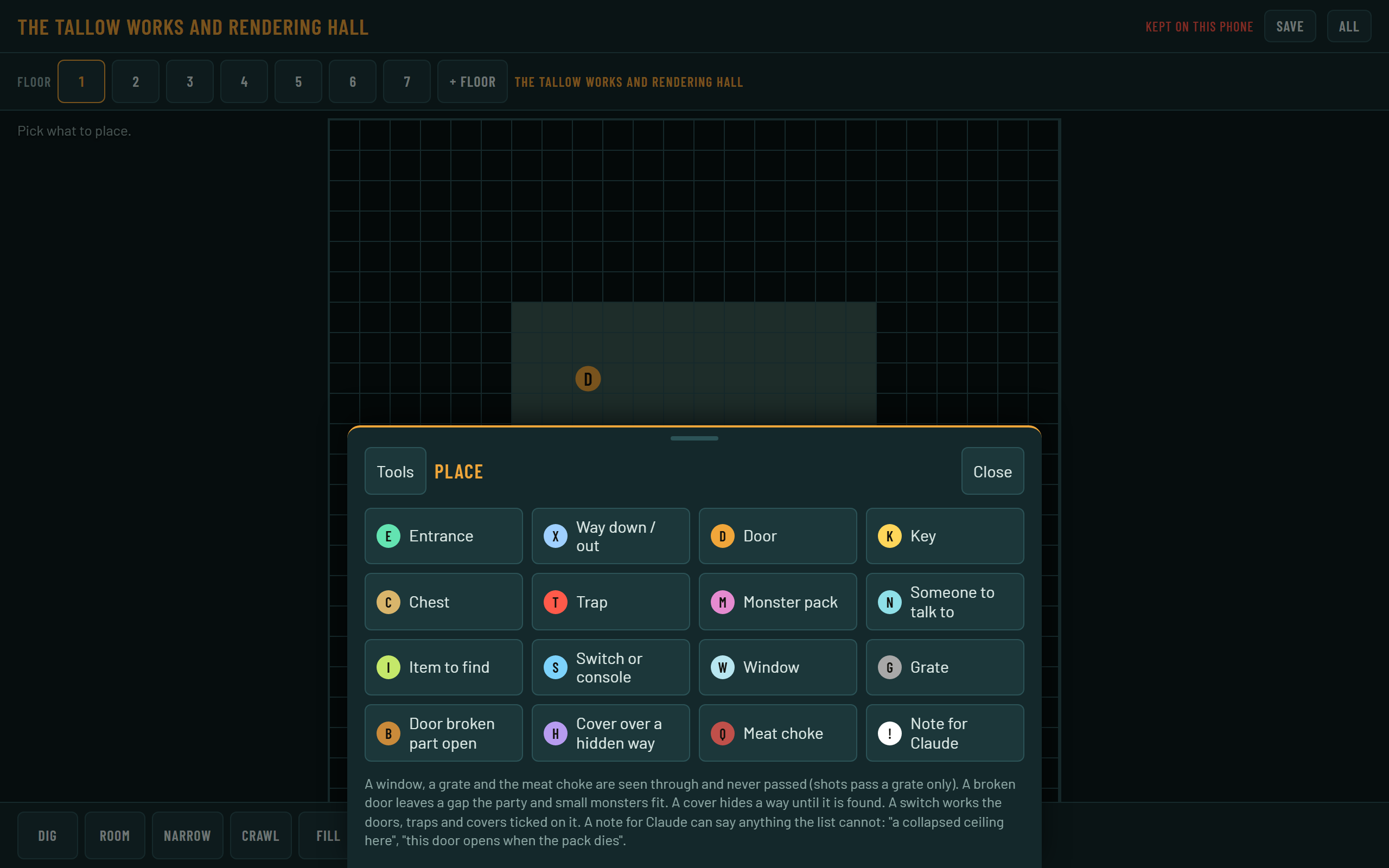
The phone page I design dungeons on lost its sideways-scrolling tool row. It now has a bar, a slide-up drawer, and a menu that opens when I hold a square.
The page where I design dungeons on my phone had twelve tools in one row that scrolled sideways, and it was unpleasant to use. The bottom is now one bar that doesn’t scroll, with a drawer that slides up for the full list and a menu that opens when I hold a square. I’ve only checked it in headless Chrome, not on a real phone yet.
Why did the tool row have to go?
I told Claude the buttons along the bottom were a horizontal scroll, which made them really unpleasant on mobile. I suggested a sliding drawer, or a long-press menu for when no tool is selected. I got both: the drawer is for choosing a tool, and the hold menu is for doing something to one square without choosing anything.
Building the bar and the drawer
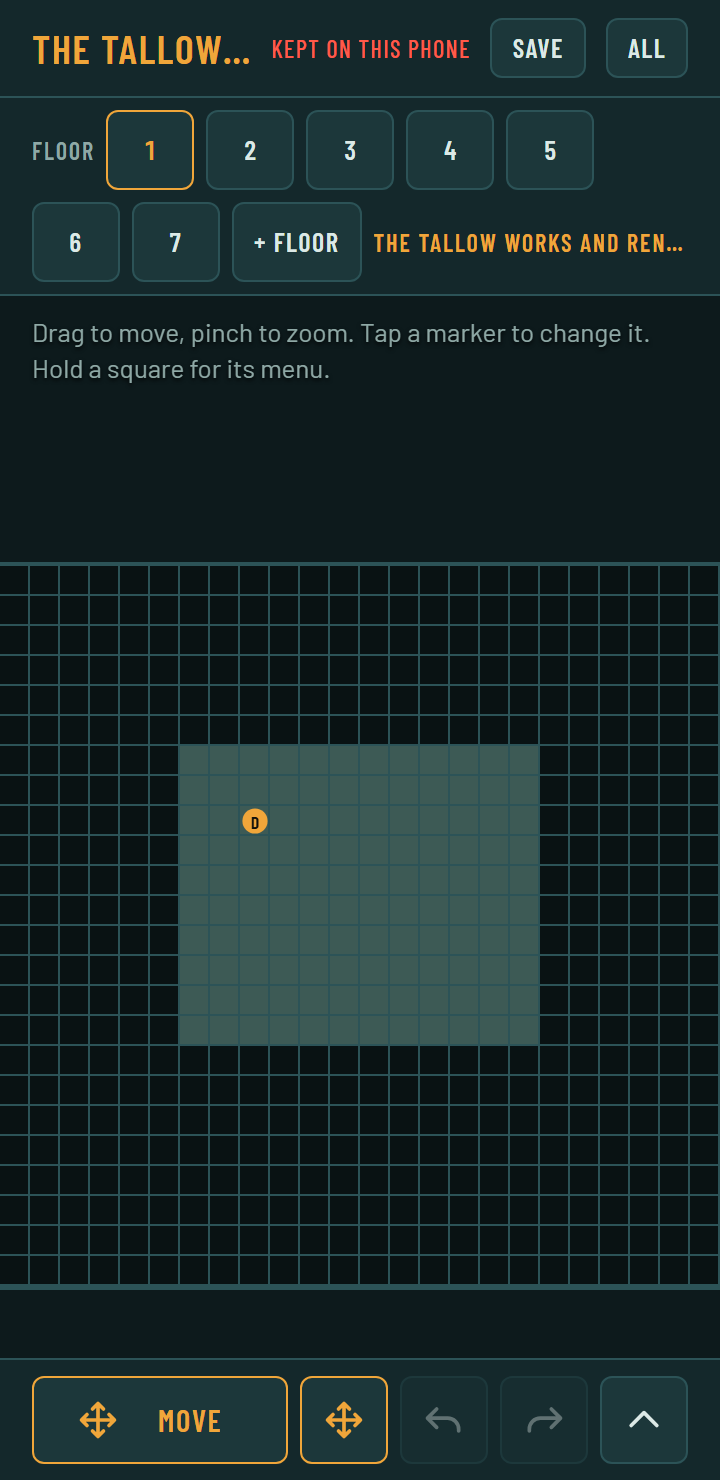
The bar has five controls: the tool in hand (with a swatch of what it paints and its name), Move, Undo, Redo, and a handle. Undo and Redo are greyed out when there’s nothing to take back. If the tool in hand is Place or Height, tapping it opens the drawer straight to that tool’s choices. A swipe up of more than 28 px on the bar opens the drawer too.
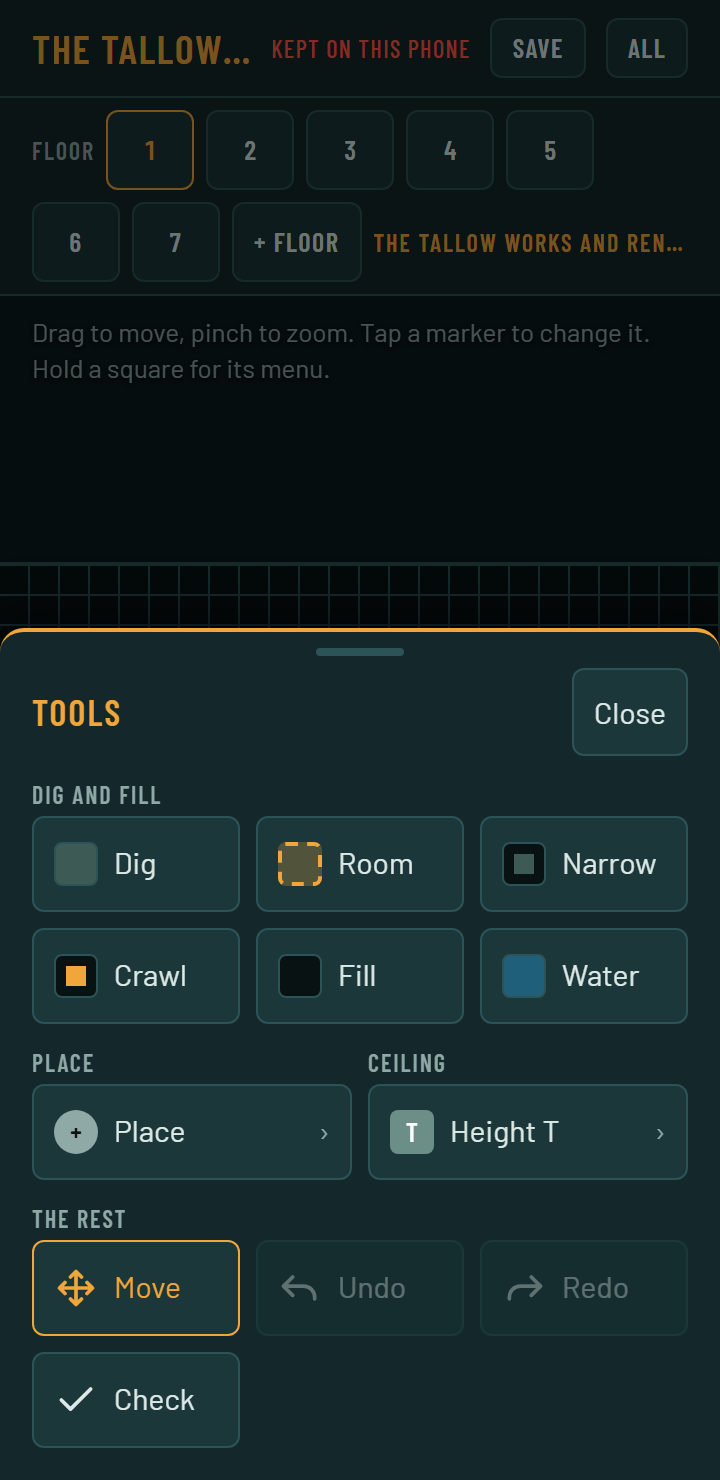
The drawer is a fixed panel that sits at translateY(105%) when closed and slides to none in 0.2 seconds. It’s inert while closed so focus can’t land in it. All twelve tools are 48 px tiles, in groups that are just data:
const GROUPS = [["Dig and fill", ["dig","room","narrow","crawl","rock","water"]],
  ["Place", ["place"], "half"], ["Ceiling", ["height"], "half"], ["The rest", []]];
GROUPS[3][1] = TOOLS.map(t => t[0]).filter(id => !GROUPS.some(g => g[1].includes(id)));
The last group fills itself with any tool that’s in no other group, so a tool I add later can’t go missing from the drawer. Place and Height used to open their own sheets over the grid. They’re now the drawer’s second level, so there’s one surface rising from the bottom, and a Back button returns to the tool list.
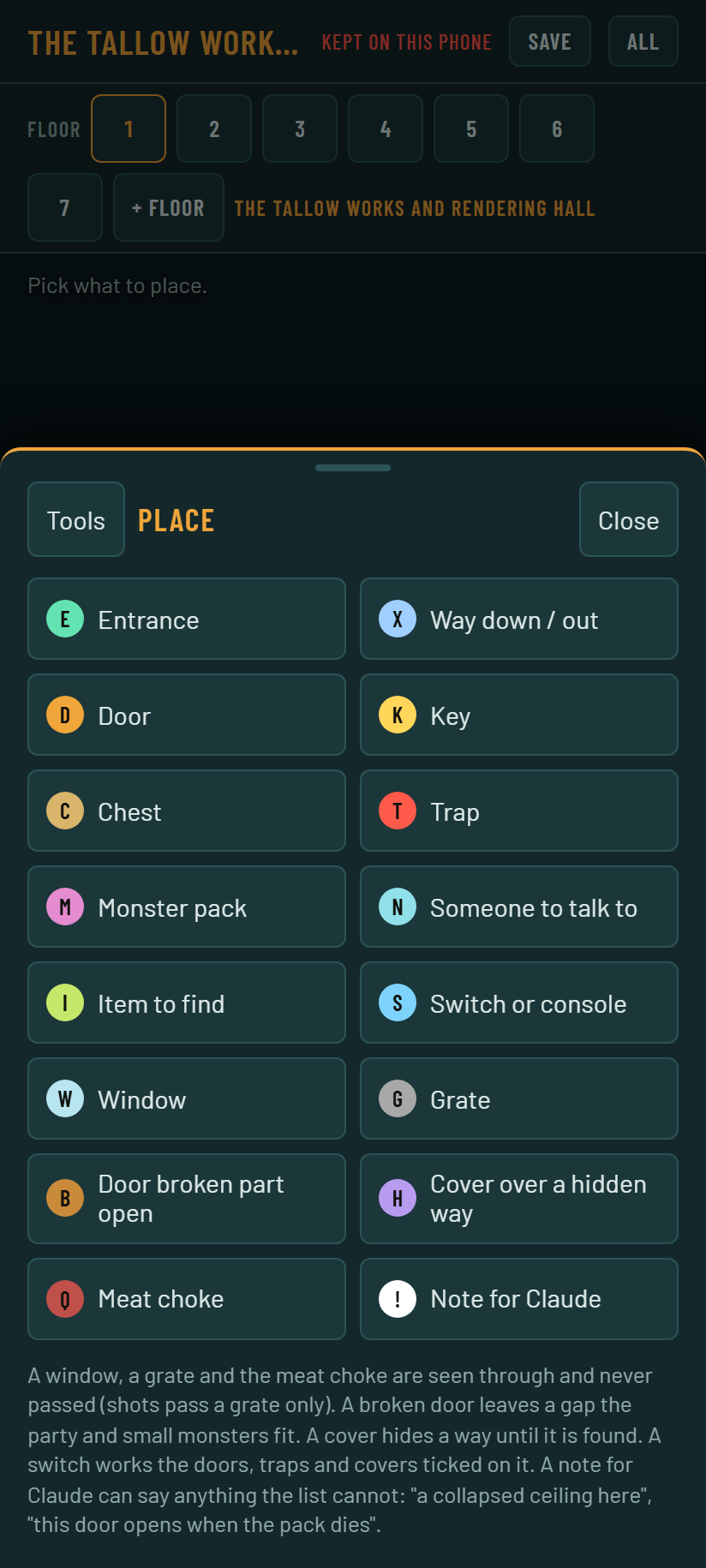
The bar only exists at phone size. The breakpoint is (min-width: 720px) and (min-height: 480px). The height part is there because a phone held sideways is wide but short, so it gets the bar, with a drawer that takes up to 96% of the height and six tiles to a row. On a wider screen the labelled rail stays, and it wraps instead of scrolling.
Closing it with a swipe down
A swipe down closes the drawer, but only from some places. From the head (the grab handle and title) it always works. From the body it works only when the body has nothing to scroll, which the script marks with a fits class when scrollHeight is no more than clientHeight + 1. Otherwise a downward drag scrolls the tools, and it shouldn’t close anything.
Once a drag passes 8 px the drawer follows the finger with its transition turned off. If I let go after more than 56 px it closes, and otherwise it springs back. For 350 ms afterward a capture-phase handler swallows clicks, so lifting my finger doesn’t press whatever tile it ended on.
What happens when I hold a square?
Pointer-down over a square starts a 450 ms timer. Three things cancel it: the finger moving more than 8 px, a second finger landing (that’s a pinch), and the finger lifting. If it fires, a menu opens at the finger, above it where there’s room so my hand doesn’t cover it, and clamped to the screen.
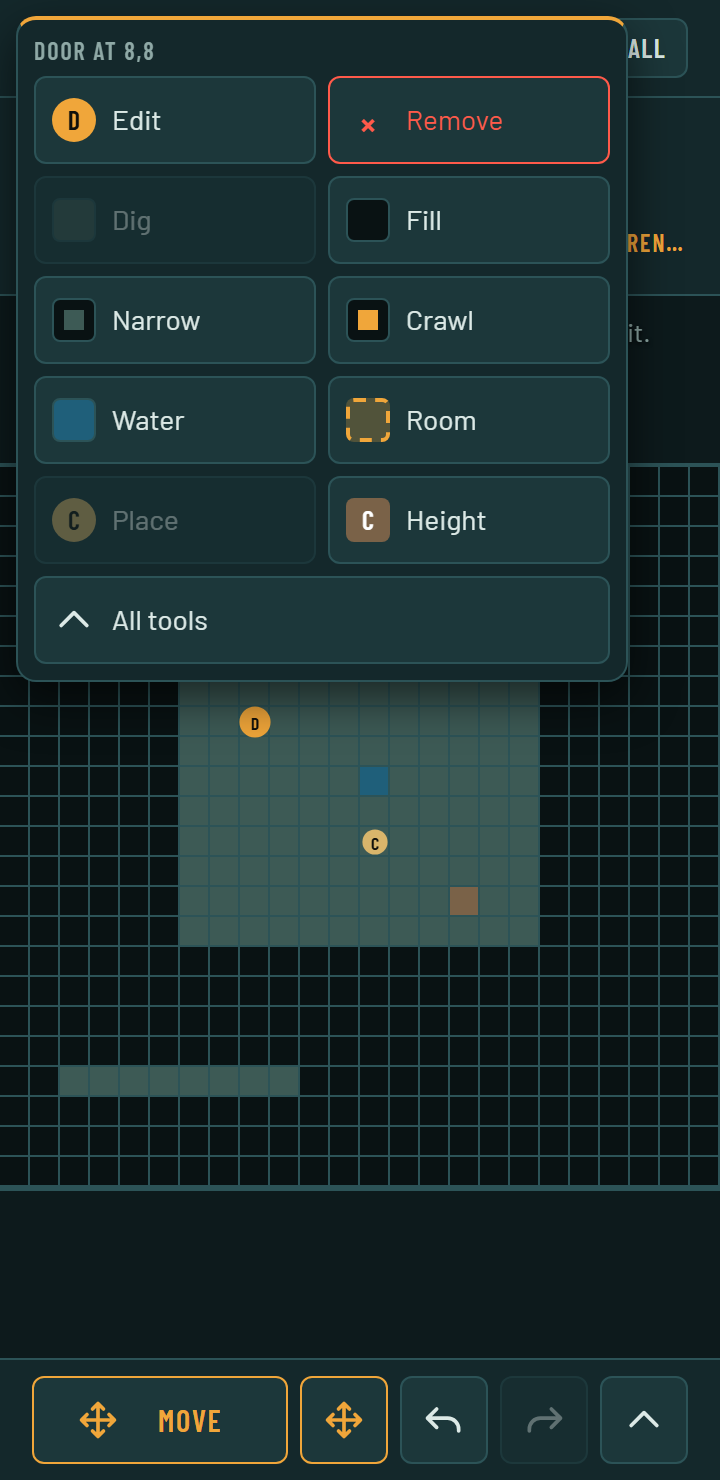
The menu has the square’s name at the top. For a thing on it, Edit and Remove come first, and Remove can be undone. After those come the paint tools, with the one that matches the square already there disabled, then Room, Place and Height, and All tools at the bottom. Place and Height open a second menu in the same spot. Over solid rock, Place says to dig the square out first, because things stand on floor.
The wrinkle was the paint tools. They stroke the moment a finger goes down, so by 450 ms the square under my finger has already been dug. A press shouldn’t leave a mark. So pointer-down saves the redo stack in the gesture, and when the timer fires it pops the undo snapshot, puts the tiles, things and heights back, and restores the redo stack as it was:
if (gesture.snapped && undo.length) {
  const s = JSON.parse(undo.pop());
  cur.tiles = s.tiles; cur.things = s.things;
  if (s.heights) cur.heights = s.heights; else delete cur.heights;
  redo = gesture.redo;
}
The lift that ends the press could also tap whatever item is under the finger, so the menu ignores taps until 80 ms after that lift. A right click opens the same menu with a mouse, and the canvas ignores mouse buttons other than the first so a right click doesn’t paint.
Also done
- The floor buttons wrap onto a second line, and the floor’s name takes what’s left of its line and gets cut off with an ellipsis.
- The bar, drawer and floors strip pad for the screen’s safe-area insets, and reduced motion turns the transitions off.
overscroll-behavior: noneon the page, so pulling down doesn’t refresh it.
How was it checked?
I drove headless Chrome with touch events at 360 by 740, 412 by 915, 740 by 360 and 1280 by 800, and 191 of 191 checks passed. Every target is 44 px or more. A 0.6 second hold opens the menu, and a 0.3 second one doesn’t. I haven’t tried it on a real phone or inside the published page.