Drawing bug reports on the game screen in Godot
A debug key freezes the frame so I can circle a glitch, type what's wrong and save both with what a camera ray found under the mark.
Pressing backslash anywhere in the game now freezes the frame and frees the mouse so I can draw on it. I circle what’s wrong, press Enter, type what I want changed and send it. The note saves the picture, my words and what the game knows about the thing I marked.
Why draw on the screen at all?
I’d noticed a number of places where the meat didn’t draw, and other glitches. I didn’t want an agent guessing where they were, and I didn’t want to write each one out by hand. So I asked for a debug key that switches to a mouse draw mode, takes a screen capture with the drawing on it when I hit Enter, and then gives me a window to say what’s wrong.
Freezing the frame and taking every key
The key is an action called draw_note that an autoload listens for everywhere, including the menus. When it’s pressed, the autoload copies the frame that’s on screen. It has to be a copy, because shaders keep running under a paused tree. That copy is the clean picture.
Then it pauses the whole tree, the same way the pause menu does, and remembers whether the tree was already paused and what the mouse mode was. I paused the tree and didn’t just stop the game clock so that monsters, physics and timers hold still too. It also works over the pause menu or over a screen that had already stopped the clock.
The overlay is added last under the root, on a CanvasLayer at layer 95 that always processes. Because it’s last, its _input() runs first, and it swallows every key and click. The draw keys are actions too, so they show up in the rebinding screen like any other key.
- The left mouse button draws.
- C switches between yellow, magenta and cyan.
- Z or Backspace undoes a stroke, and Delete clears them all.
- Esc leaves and keeps nothing.
Drawing the strokes on the CPU
Each stroke is a color and a list of points in the picture’s pixels. A point that’s too close to the last one is dropped. The strokes are rasterized on the CPU as a round line in the ink color inside a slightly wider dark edge, so they show up on any background.
What I see while drawing and what gets saved are both composed from the kept frame and the strokes, so they’re the same pixels. That also means the banner and the text box can never end up in either picture, and it works headless, where the frame is plain gray.
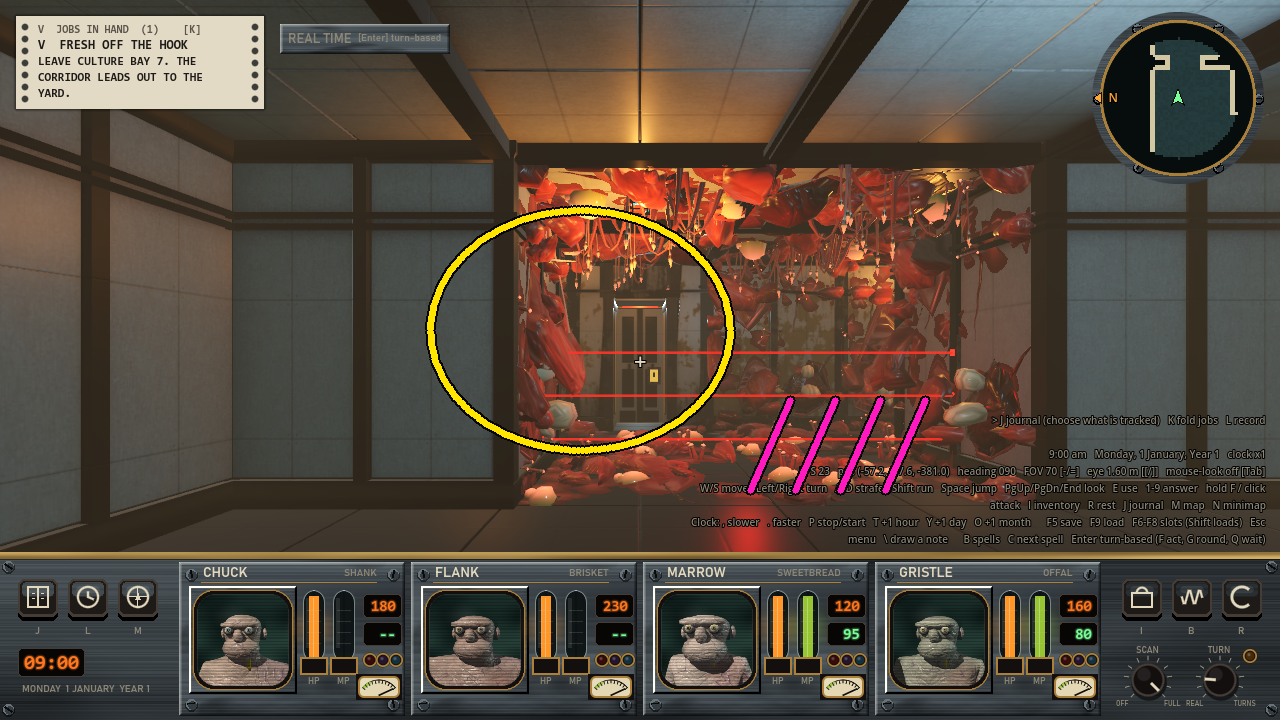
The example note’s saved picture. The circle and the four hash marks are the drawing, and everything else is the frame as it was, HUD included.
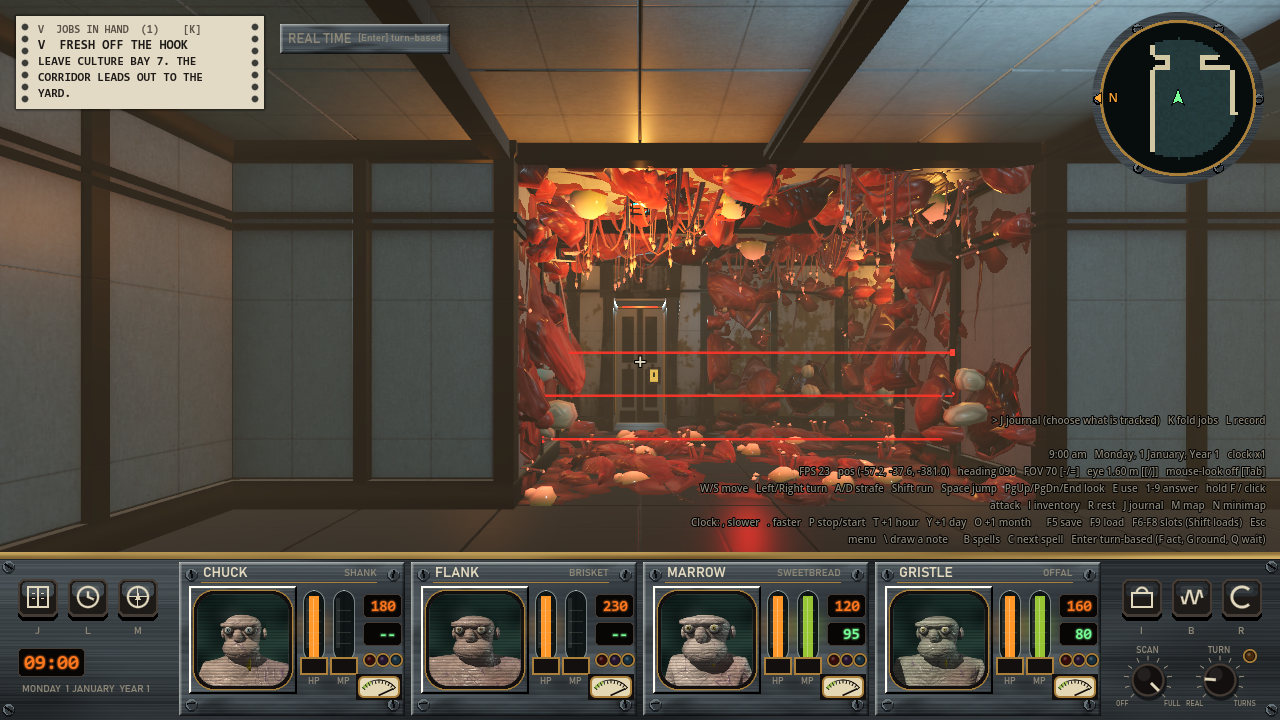
The same note’s clean picture, which is the frame from when the key went down.
How does the text box keep my typing out of the game?
Enter opens a text box with SEND, BACK TO THE DRAWING and DISCARD buttons. Enter is a new line in the box, and Ctrl+Enter sends.
The box is an exclusive embedded Window and not a panel, for one reason. While an exclusive window is up, Godot gives it every key and click before any script’s _input() runs. So typing I, M, J, F5, F6, Tab, PgUp or digits into the box does nothing in the game. The test types all of those and checks.
Sending writes the files and puts everything back the way it was, which means whether the tree was paused, the mouse mode and what had keyboard focus. A line at the top says where the note went for 7 seconds.
What does a note know about what I marked?
A note is three files named by the date and time: the picture with the drawing, the clean picture and a JSON file. The JSON has my words, a status, the strokes, the commit, the scene, the party, the clock and the camera.
The useful part is a ray. The mark is the middle of the first stroke, and the game casts one ray from the camera through that pixel. The JSON records what the ray hit: the body’s name, path, class, script and groups, the model it came from, and in a dungeon which wall of which square. Meat and dressing have no collider, so the JSON also lists the drawn things whose bounding boxes the ray crosses, nearest first.
In the example note I typed “The meat stops short of this seam. It should run on to the corner.” Its JSON says the ray hit a StaticBody3D called MeatWall, 6.76 m away, on the north wall of dungeon square 22,2 on floor 1 of the Breakout Site.
A command-line tool lists the notes, shows one and marks it read or done with what was done about it. The script that runs at the start of each agent session lists the new ones.
Two traps in testing mouse input headless
Input.parse_input_event takes mouse positions in real window pixels. Headless, the window is 64 by 64 and stretched, so the test multiplies each position by the root’s final transform. It also sets Input.use_accumulated_input = false, because otherwise all of a drag’s moves get folded into one per frame.
A camera’s ray is asked for in real pixels too. So the mark is passed as a fraction of the picture and scaled by the real window size.
Why isn’t the key F2?
It was F2 at first. After the merge, the test for the world’s explore mode failed 16 checks, because F2 is that mode’s slope rule key. The test pressed it and ended up in draw mode. All the function keys are used: F1 to F4 by the explore mode, F5 to F9 by the saves and F10 to F12 by a scatter experiment. So the key is backslash now, and I recorded the film again.
What’s left?
I haven’t used it in a normal play session yet. So far it’s only been run by its test, which has 108 checks, and by the film.
A few small things are left. If I press the key within those 7 seconds, the line saying where the last note went ends up in the next note’s clean picture. The list of drawn things goes by bounding boxes, so a big thing near the ray gets listed even when the ray misses it. There’s no controller button, and no gallery in the game.