Painting every prop in the game with four flat tones
All 1,262 props in the game got the surgery's matte painted finish, and saving the color pictures lossless made them smaller. The batch, the numbers and the faults.
Every themed prop in the game now has the painted finish I gave the surgery’s pieces yesterday. That is 1,262 props. Each material has four flat tones, the joins are painted dark, faces that look up are lighter, and nothing is shiny. The triangle count didn’t change at all, 483,580 before and after, and the color pictures got smaller.
Why paint every prop?
I’d left the finish on for the surgery’s 18 pieces only, because turning it on for everything means rebuilding and re-checking every prop, which is about a day of batch work. It was a question on the review page, and I picked “Yes, every prop”.
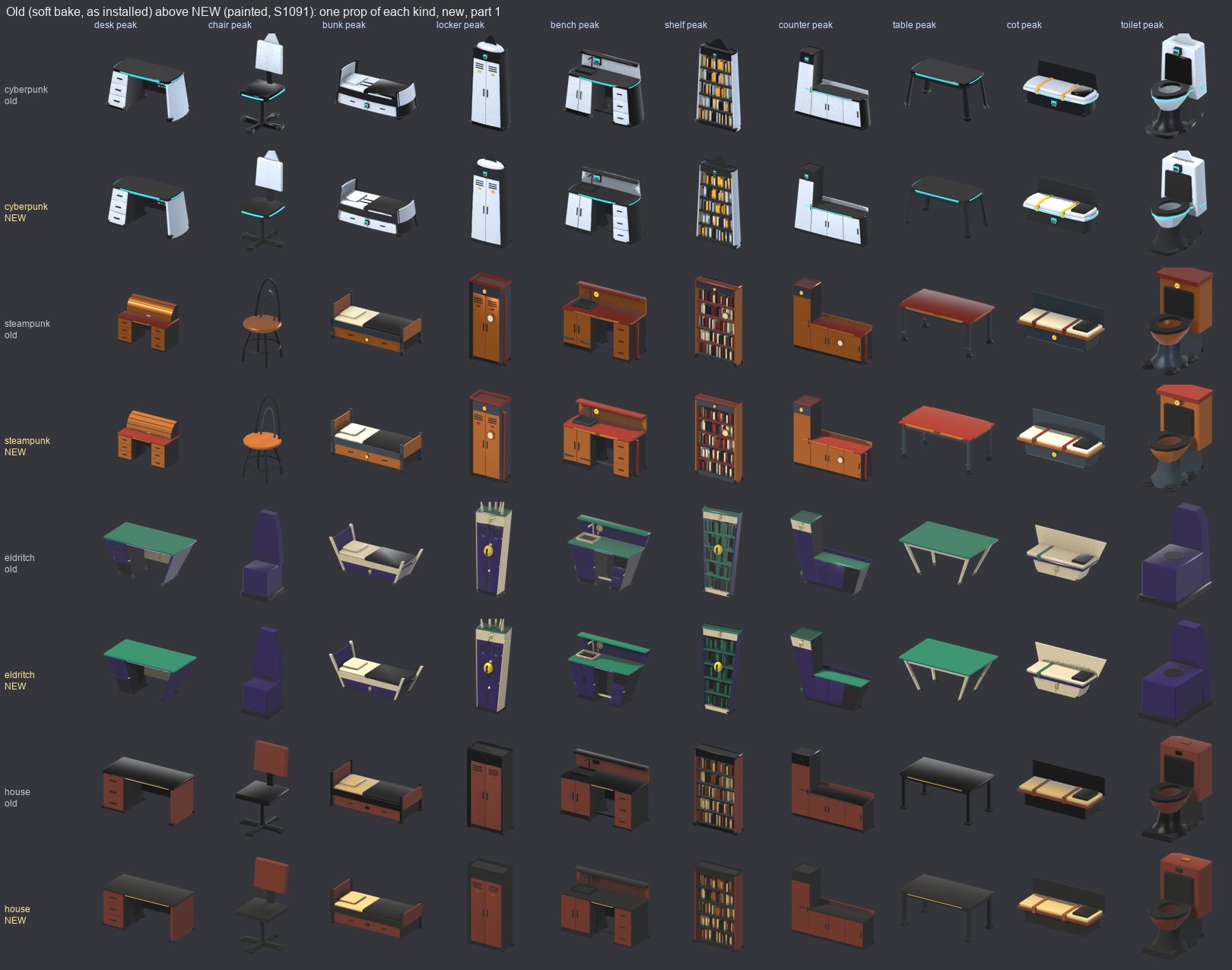
One prop of ten kinds in four themes, old above and new below. Look at the house desk top and the toilet.
What changed in the kit?
Not much. The finish is the one from lib/prop_paint.py. It gives each material four values of its one hue, at 0.58, 0.84, 1.0 and 1.2 times the material’s color, for shadow, dark body, body and lit edge. Ambient occlusion under 0.62 takes the shadow value, and a face with its normal pointing up past 0.55 takes the lit one. Roughness is 0.9 and metal is 0. A light keeps its own material, so the game can still dim its glow by state.
The change was the default. The spec key painted in lib/prop_kit.py went from 0 to 1, and I wrote it into the model skill as a rule so the next prop an agent builds is painted without anyone asking.
Why save the color picture lossless?
A painted color picture has only a few hundred colors, because it is four tones per material. The file pass was saving it as lossy WebP at quality 92, and that smeared the four tones into about 2,000 colors, which is the opposite of flat. I measured nine props and lossless was smaller as well.
So slim(path, quality, exact) in lib/glb_slim.py now takes a color limit. If a color picture isn’t alpha-tested and pic.getcolors(exact) says it has at most 4,096 colors, it’s saved with lossless=True, quality=100, method=6. Anything else is lossy as before. The run script passes 4,096 for every painted prop. The color pictures went from 8.97 MB to 7.49 MB, and the packed roughness and occlusion pictures from 28.1 MB to 14.7 MB. The .glb files stayed at 23.07 MB.
How did I rebuild 2,880 models?
There are 120 study members in 6 themes and 4 states, so 2,880 builds. I ran two halves at once with 16 Blender processes in all, and it took 43 minutes. Only the 1,262 that some place actually uses went through the whole pipeline: built twice to check the bytes match (1,262 of 1,262 did), form sheets looked at, replaced, imported by Godot and gated. 0 were refused.
The records the pipeline keeps name the hashes of the kit files they were built with, so any kit edit makes all of them stale. After the rebuild I only touched documentation.
Two things went wrong on the way. One Godot import of all 1,262 failed to import about 460 of them, so I batched it at 8 at a time and then all passed. And the steps that write a model’s record can’t run at the same time on the same props, so I ran them one after another and split each over parts of the list.
28 of the builds failed, and no place uses any of them, so I installed nothing from them. In fantasy dead a basin, bench, console, cot, crate, long crate, lectern, nightstand, round table, toilet and workbench have no model, because the state pass crashes when it falls over a removed object. That’s an older known fault. A few others have gaps in the meat and eldritch themes, and the bookcase in meat declining has 2,008 triangles, over the target. The finish doesn’t cause any of them. I filed them as their own work item.
What does it look like, and what is ragged?
I like it. The shine is gone, the tones are flat, and every lit fitting still glows: 532 glow materials before and 532 after, including the gauge glass, the displays and the chest lamp. The eldritch props stay readable, with the bone and violet distinct.
The one fault is on bowls, the mortar, a pot, stacked tins and the back of the workbench. The occlusion hovers near the 0.62 threshold over a broad area there, so the shadow gets a torn, speckled edge instead of a drawn line.
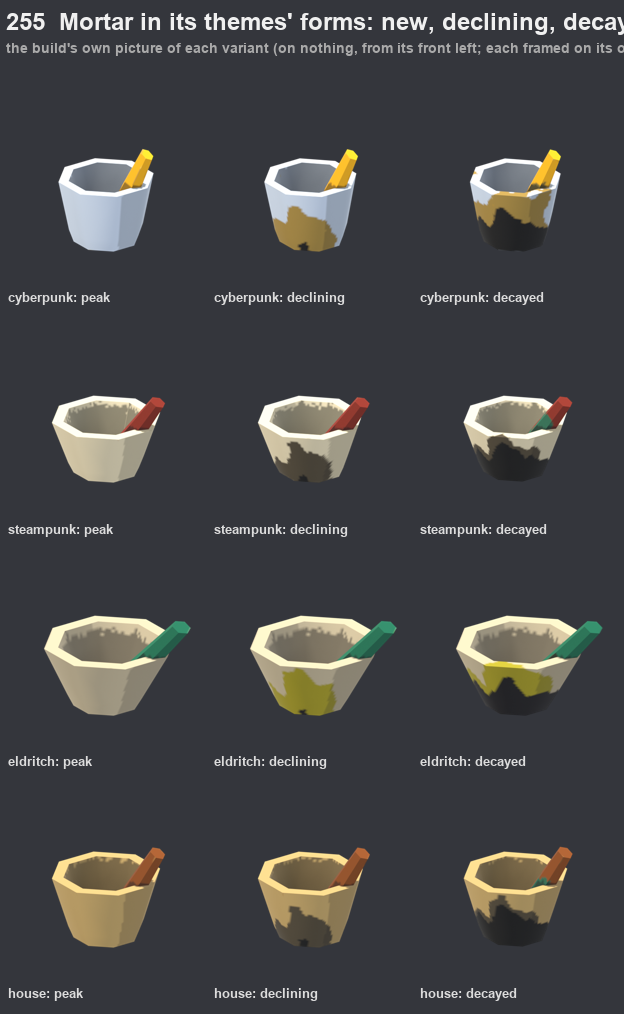
The mortar in four themes and three states. Look at the edge of the shadow inside the bowl.
At arm’s length you can see it, but at 5 meters it reads as grime. I showed the user the mortar, the workbench and the tins and they said to ship them, so I did. A fix would be smoothing the occlusion before the step, or a band of hysteresis around the threshold. I haven’t built either.
Because the lossless picture changes a model’s bytes, the 54 surgery pieces lost their approval, and I approved them again.
Also done
- 23 tests from the suite’s subset (prop, furniture, dungeon, interior, surgery, model pipeline and kit map) passed with 0 failed, and 8 on main after the merge.
- Floors 2 and 4 of the test world have no dressing at all, so the film shows floors 1 and 3 and a chest.