Teaching the dungeon designer page about ducts and vents
The phone page I design dungeons on now draws ducts, ceiling vents with their ambushes and floor heights, and a generated draft imports with no leftover notes.
The phone page where I design dungeons and Claude draws them can now place and draw ducts, ceiling vents with the monsters waiting in them, and the height of every floor square. The generator had learned all of that over the last two days and the page knew none of it. I also got rid of 25 and 24 leftover “to do” notes on a generated two-floor dungeon’s import report, which now has 0 and 0.
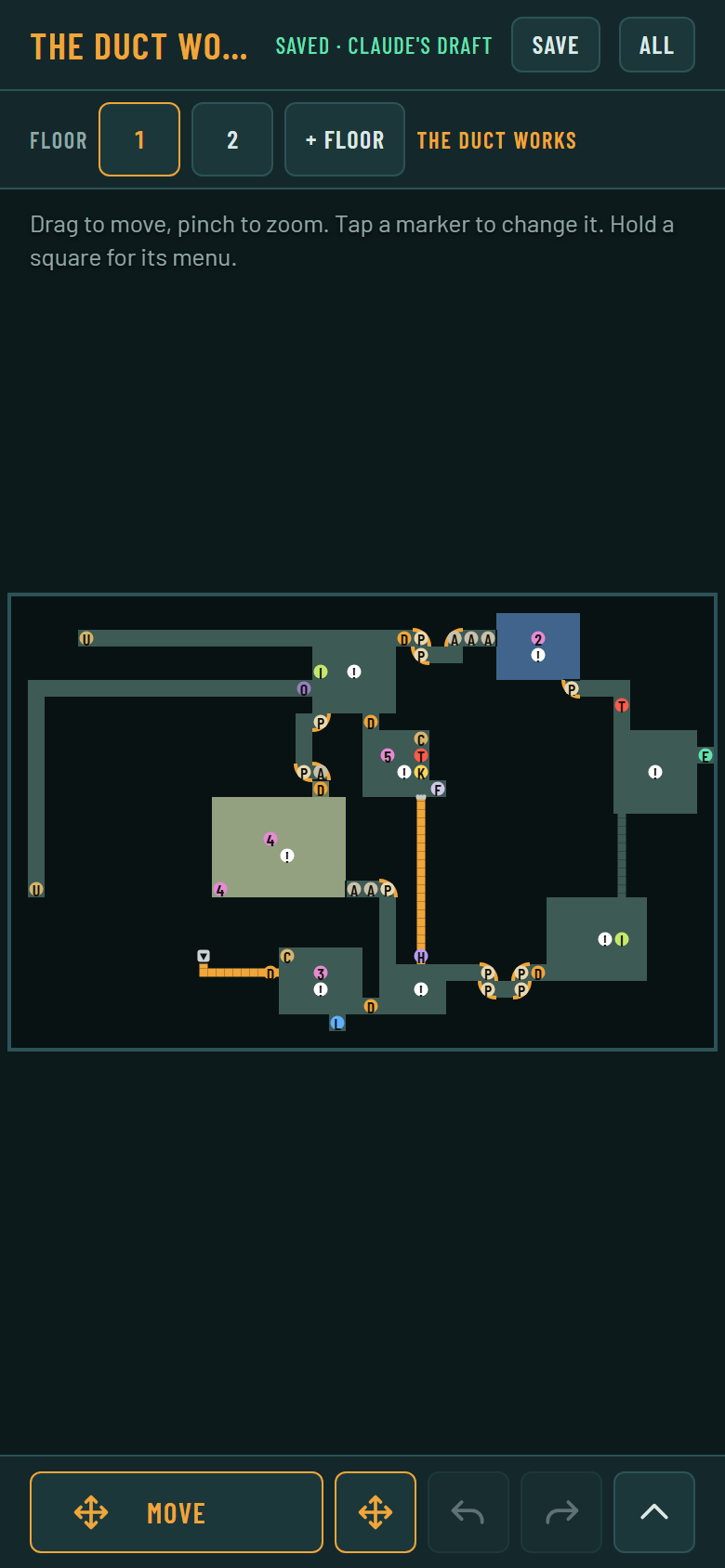
Floor 1 of a generated two-floor draft on a phone-sized screen. The orange line is a crawl way, the blue room is sunk and the green one is raised.
How does the page draw a duct?
A duct is a square hatch with an arrow that shows which way it climbs. It was never going to be a disc with a letter, because the one-way door is already a disc with a V. The palette gave it the letter v in lowercase (every capital was taken) and the color #c8d4dc. Put on a crawl square it leads down, and put on a room’s square it leads up. Its editor has a list for Leads, up or down, and a note field.
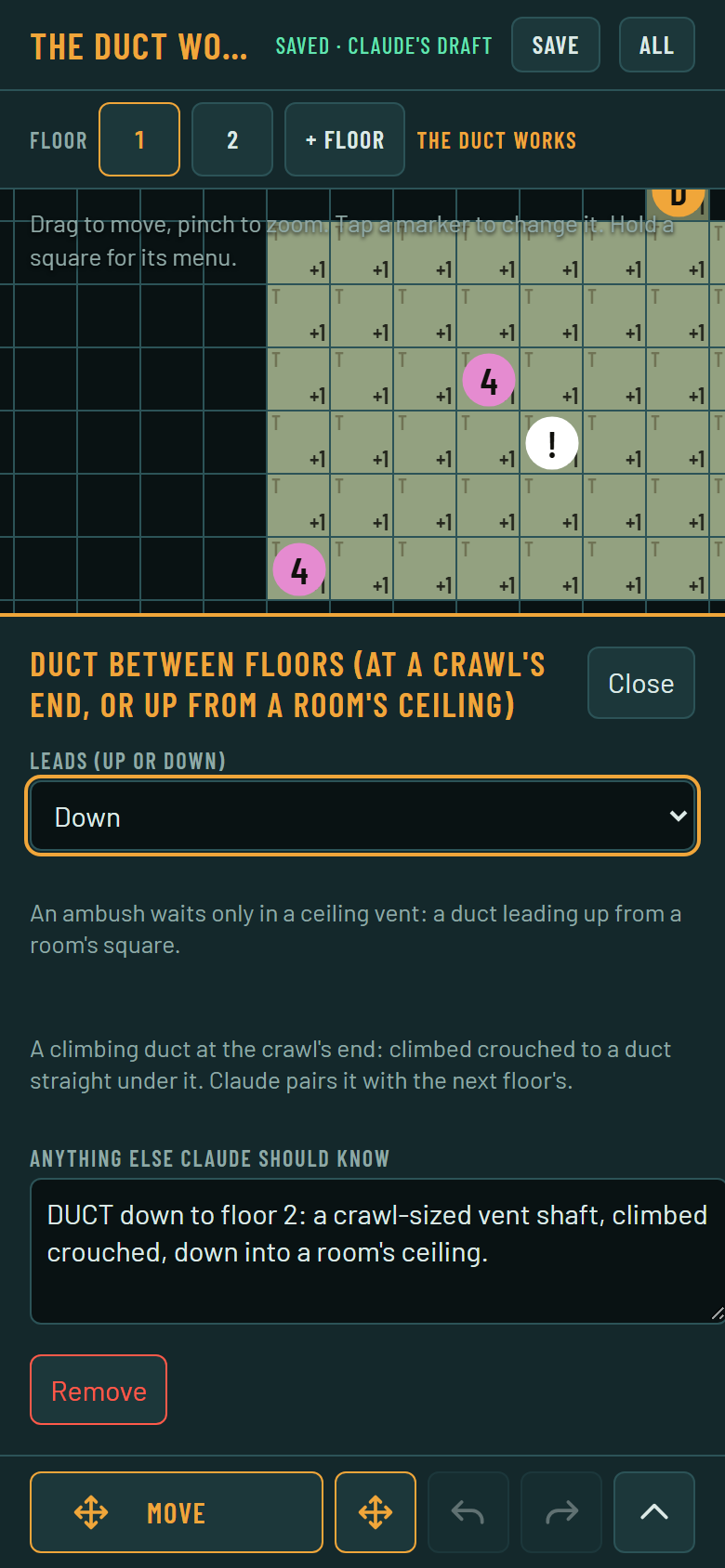
A duct’s editor, set to lead down, with a line saying what it will be paired with.
The list comes from a new catalogue feature. A catalogue field can carry options, a list of value and words pairs, and the page offers a list to pick from instead of a box to type in. Leads, a door’s opens_from, a secret door’s front, a stair’s dir and a curve’s turn use it now. A page published before the catalogue still shows a text box, so nothing breaks while the two are out of step.
What does a ceiling vent look like?
A duct that leads up from a room’s square is a ceiling vent. The page draws it as a grate, with the number of monsters waiting inside on a red tab at the corner. Its editor has a counter for every monster kind in the catalogue, and the ambush is saved as text like meat_sack:2. The generator puts 2 or 3 meat sacks in 0.6 of its vents, and the page can set any count.
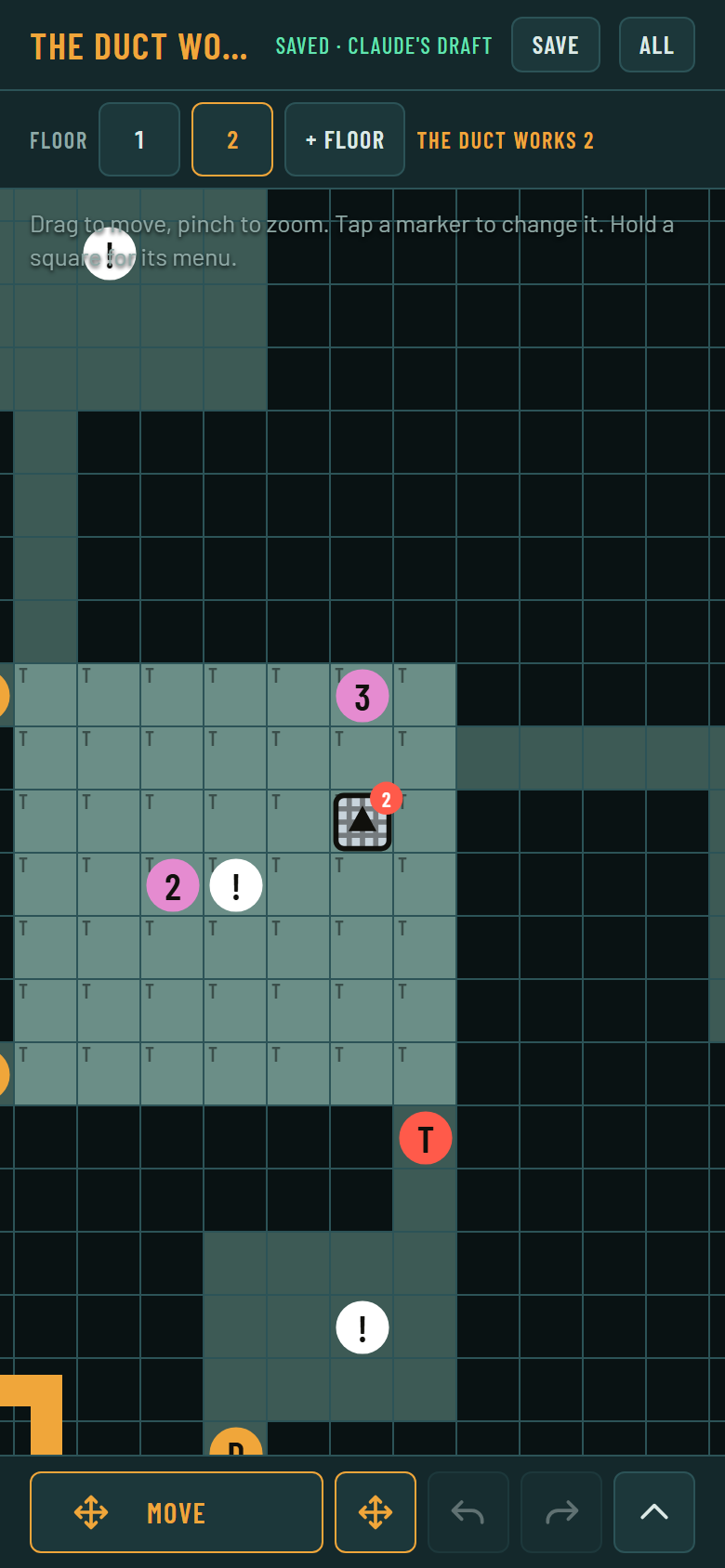
A vent in a room on floor 2. The red 2 is the ambush.
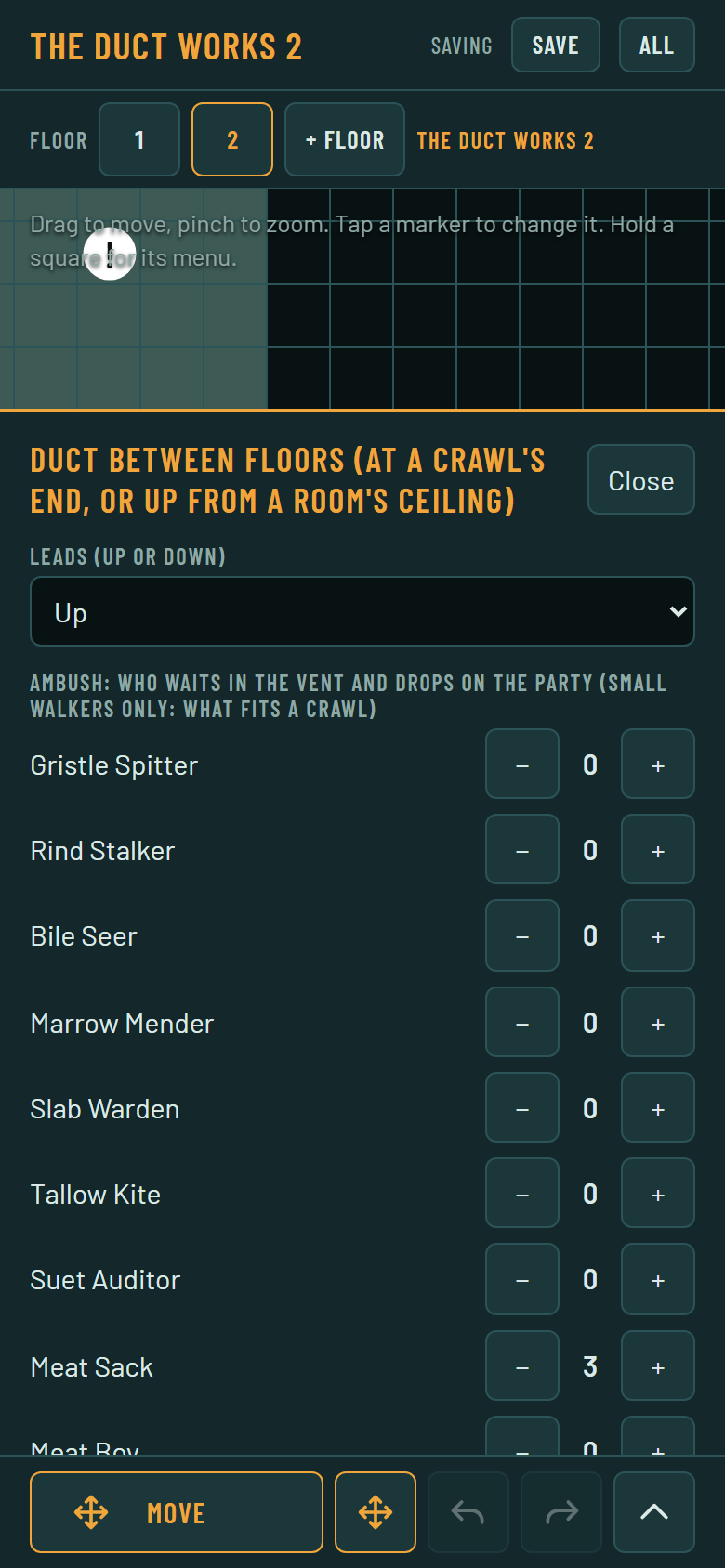
The same vent’s editor, with Meat Sack set to 3.
The page also draws the crawl mouths that the importer will put a grate on automatically. The test is DungeonFixtures.cover_mouths(): a side opening of a crawl square, onto a square that is not crawl and is not shut by a door, a cover or a secret door, on either side. A secret door’s front is drawn as a heavy line on the side it faces. The Check screen has new lines for ducts, such as a duct with no leads, one that leads down off a crawl, or an ambush on something that isn’t a vent.
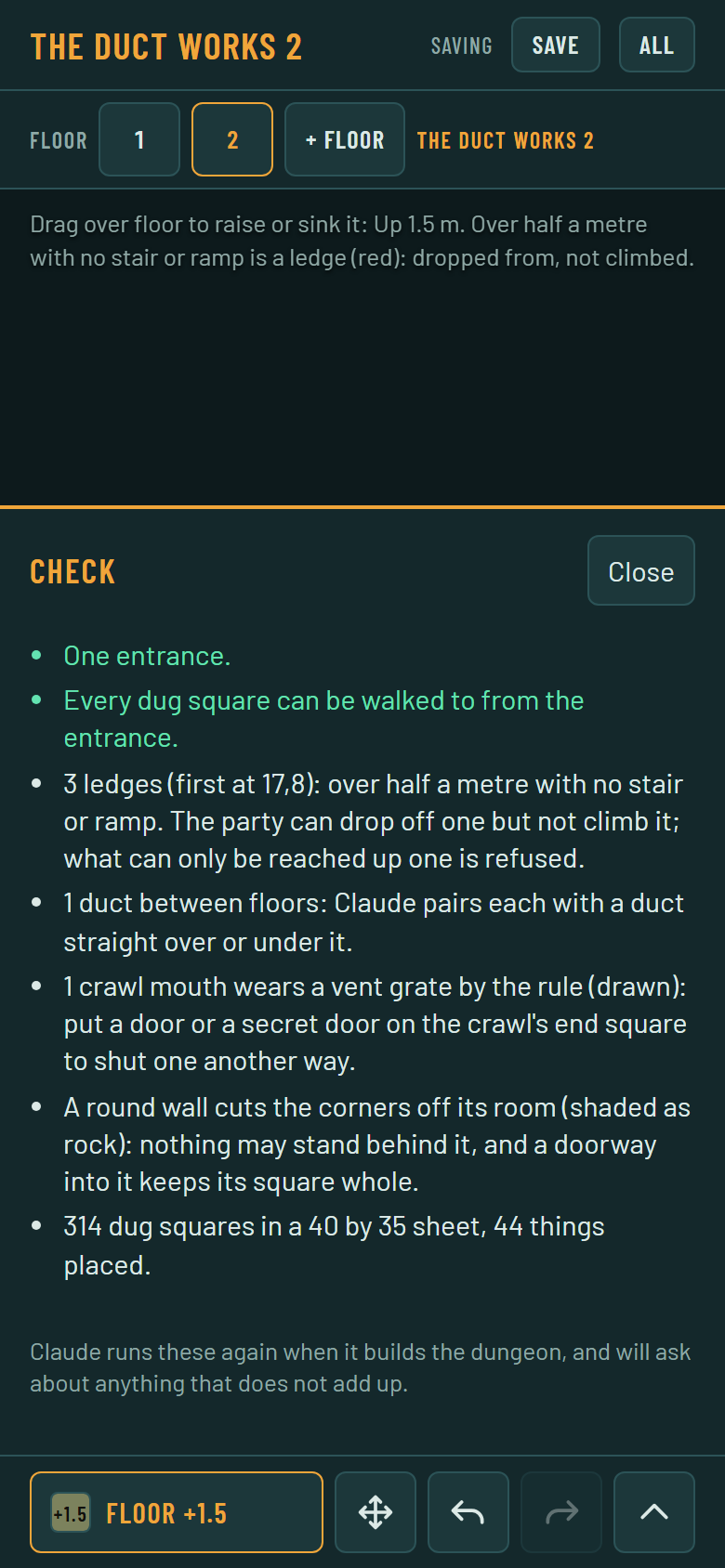
The Check screen for floor 2 with its lines about a duct between floors and a grated crawl mouth.
Why was the floor’s height hard to read?
The page could already paint heights in half-meter steps with the Floor tool, but a floor of +1 and a floor of 0 looked almost the same at phone size. Heights now read through a wash of color: warm for raised floor, cool for sunk, stronger with each half meter. A thin line is drawn where two squares differ, and a red line where they differ by more than half a meter with no stair or ramp, which is a ledge the party can drop off but can’t climb. The number is printed in each square once squares are 14 pixels wide.
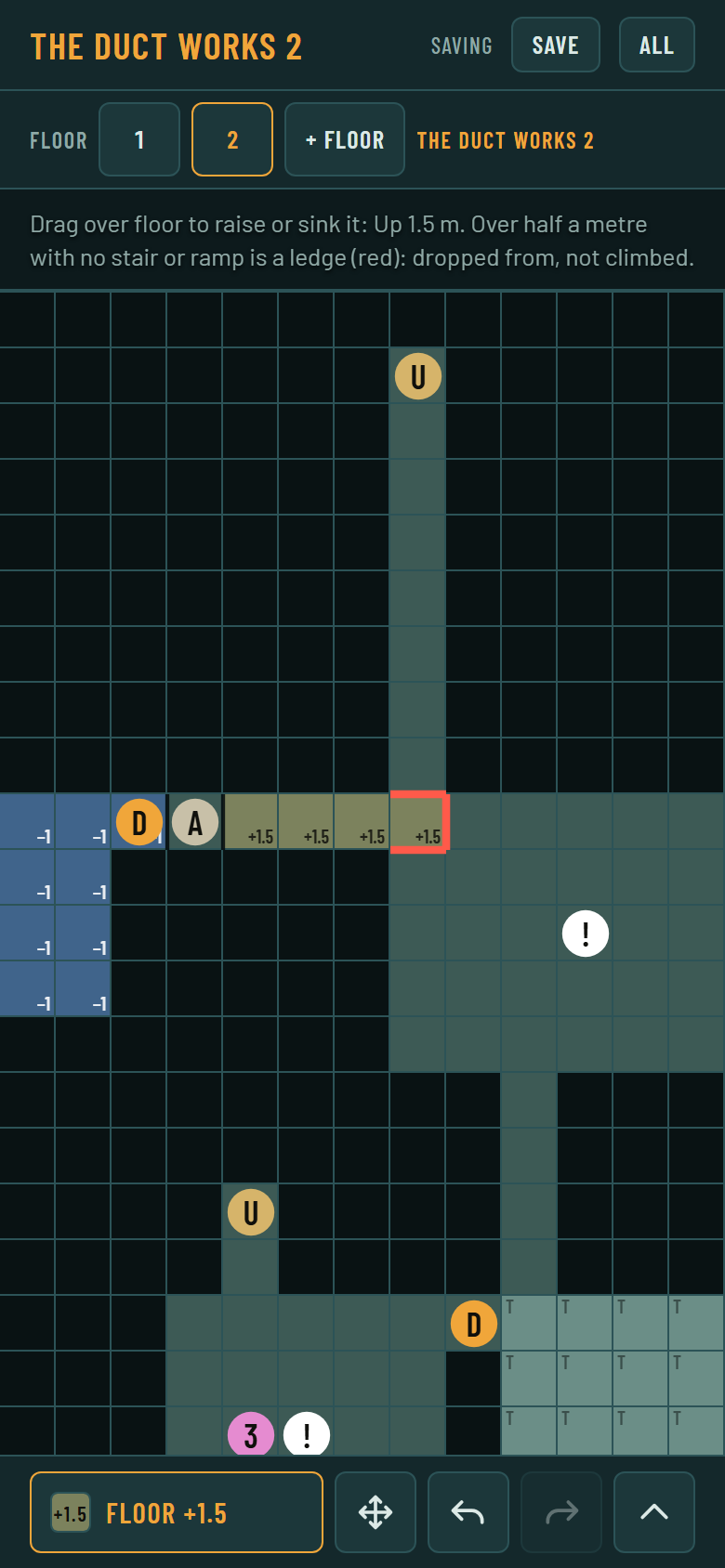
Painting with the Floor tool at +1.5. The red edge is a ledge.
The generated draft already wrote these heights into the page’s sheet, but the importer dropped them, so a handed-over sheet lost them. It keeps each floor’s heights now. A test writes a generated two-floor draft into a page document, reads it back into a dungeon file and checks that nothing changed.
Why did the import report call everything unfinished?
The generator leaves a note beside a ladder, the quick exit’s door and its lever, and the importer counted every note it hadn’t acted on as a thing to do. A generated floor looked unfinished before I’d touched it. Now every generated thing in a draft says by: "claude", and the importer keeps that field along with ask and dir. A note with by: "claude" and no ask is the generator describing what it laid down, so it’s marked done and left out of the count. A note that wants action, like a pit wanted, also has an ask and still counts.
The draft’s manifest, the list of what the dungeon needs, has rows for the duct, the vent, its ambush, a secret door’s face, floor heights, stairs and ramps, curves, spirals and a room between floors. The draft note also gave squares from before the floors were dug and grown. It now moves each square by the floor’s shift, so every square it names is on the sheet.
What’s left?
The page doesn’t pair a duct with the one on the next floor yet. Floors I draw by hand carry no offset to each other, and the catalogue doesn’t say which monsters are small enough to fit a crawl, so the page can’t tell whether a vent’s ambush fits. The importer refuses a bad pairing, so nothing gets through, but the page can’t say so first. The page’s new Check lines are also marked “not compared” in the import report until the importer has a pattern for each.
The published page isn’t updated either. That needs a publish of the page’s source and the catalogue batch, which I haven’t done.
I checked the page headless in a browser with 22 checks, and it passed all of them. The page’s tests pass 72 and 26 checks. The whole suite had 2 failures out of 244 tests, both of them known ones.