Auditing furniture for every room kind in every theme
A new test lays 30 dungeon floors in five themes and three wear states. Three room kinds looked thin when big, so their layouts now grow with size.
All 19 room kinds in the dungeon generator now get furniture in all five themes (cyberpunk, steampunk, eldritch, fantasy and house) and in all three wear states a prop is drawn in (peak, declining and decayed). I wrote a test that proves it over 30 floors. It found no missing models and no bare rooms, but it did find three kinds of room that were too empty when they were big, and I fixed those.
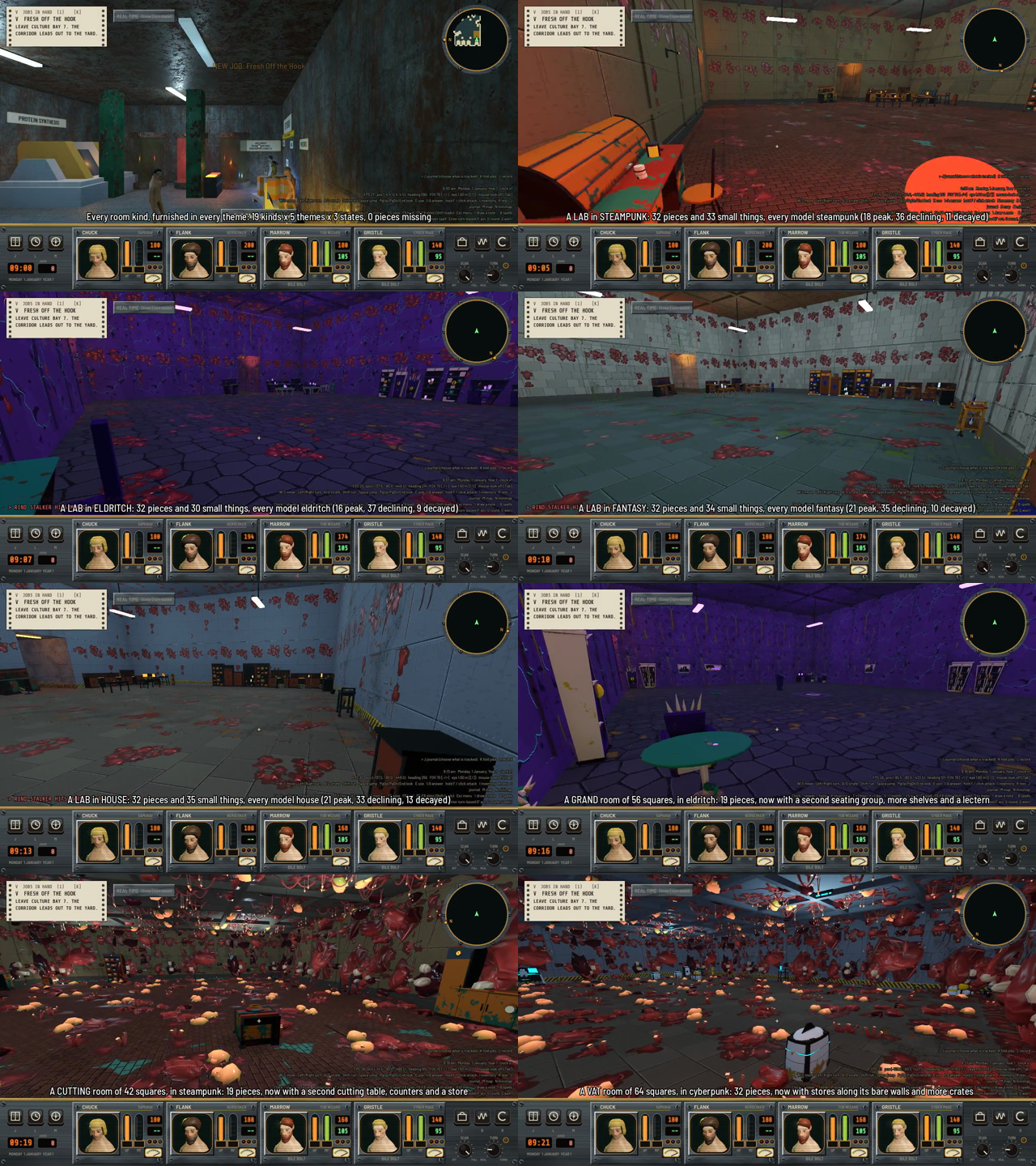
The film’s 10 frames, in order, with captions.
Why check every theme and state?
Before I do any more tour builds I wanted to be sure that every kind of room has something in it, in every theme. I’d just installed the fantasy props, and the old fill test only checked two states and only held four of the five themes, so I had no proof the whole grid was filled.
How does the audit work?
The test is tests/dungeon_fill_themes. It reuses the 20 fixture dungeon files from the older fill test, which between them make every room kind. That’s 30 floors counting each storey. For each floor and each theme it calls the same dresser function the game calls, DungeonDresser.lay, and gets back a list of pieces. Each piece records its prop, its room, its theme, its state and where it goes (on the floor, on a wall, on a surface or under foot).
The wear state a piece is drawn in is a random roll, but where the pieces go doesn’t depend on it. So I lay each floor once per theme and then ask the files about every state. A model lives at assets/models/props/<prop>/SM_prop_<prop>_<theme>_<state>.glb, and DungeonFurniture.installed says whether it exists. If a piece is in another theme than the one I asked for, or any of the three states is missing, it goes in a gap list. There’s no fallback to a different theme.
The test holds six things, 29 checks in all:
- every room kind is made by some fixture dungeon
- every kind has furniture in every theme and state (19 kinds, 5 themes, 3 states)
- there are 0 gaps
- no room of 4 squares or more is bare
- no room is thin
- every prop named in any kind’s table row or layout template is installed in every theme and state, even if these floors never lay it
It also prints tables by kind and theme, the 25 thinnest rooms and a stood-by-state table, so I can see the numbers and not just a pass.
What does thin mean?
A room is thin if it has fewer pieces than one for every 3 squares of its free floor, and at least 3 where it has room for 3, but never more than the layout’s most cap. Free floor comes from the dresser’s occupancy grid. A square isn’t free if it’s rock, if a way in opens onto it, or if it’s where a thing or the ring around a pack of monsters goes. A room with less than one free square is allowed to be empty.
What did it find?
The models were all there, so no new props were needed. The counts were the problem. A grand room (a chief’s hall) of 48 to 56 squares had 13 pieces, a vat hall of 64 squares had 20, and a cutting floor of 35 to 42 squares had between 5 and 11. Their layout templates had run out of steps, so a big room got about what a small one did.
The layout templates in content/room_layouts.json are lists of steps like single, run (a line of props along the walls) and grid, and any step can take min_m2, the room’s floor area, below which it’s skipped. I added steps with min_m2 to the three kinds:
| Kind | Applies from | What it adds |
|---|---|---|
| grand | 300 m2 | a round table with two armchairs facing it, a run of bookcase, cabinet and bookcase, a lectern in the middle |
| vat | 400 m2 | a run of stores, a long crate and a cabinet along spare walls, a grid of up to 3 crates by the door |
| cutting | 250 m2 | a second table, a run of counter, store and counter, a trolley in the middle |
One step looks like this:
{"do": "run", "props": ["counter", "store", "counter"], "walls": "spare", "most": 3, "min_m2": 250}
Small rooms of those kinds are unchanged. After the change the mean room has 10.2 to 13.5 pieces for cutting, 13.8 to 16.9 for grand and 20.0 to 24.1 for vat. In the film, a grand room of 56 squares in eldritch has 19 pieces, a cutting room of 42 squares in steampunk has 19, and a vat room of 64 squares in cyberpunk has 32.
What’s still wrong?
Two things I noticed and wrote down without fixing. Every theme lays the same props for a kind and only re-skins them, so a fantasy lab is a lab with fantasy benches, not an alchemist’s with a still and hanging herbs. Fixing that means new props and a way for a theme to name its own template for a kind. Also, a small room with three ways in and a pack of monsters in the middle can end up with only a square or two of free floor. An office and a washroom of 12 squares each have just 2 pieces. The test prints each room’s free floor, so I can see it.
Also done
- I let
tools/room_plans, the debug scene that draws what each kind lays, take a fixture file, so I can look at the same rooms the audit checks. - Fantasy is now held to the old fill test too.